

How to set up webhooks in Dixa
To set up an outbound webhook, you need to be a Dixa administrator, as you need to be able to access the settings of your organization in Dixa.
- Go to Settings > Integrations and click on the Webhooks tab. Here you will find the Outbound webhooks table. Click on the button Add outbound webhook to navigate to the creation page.
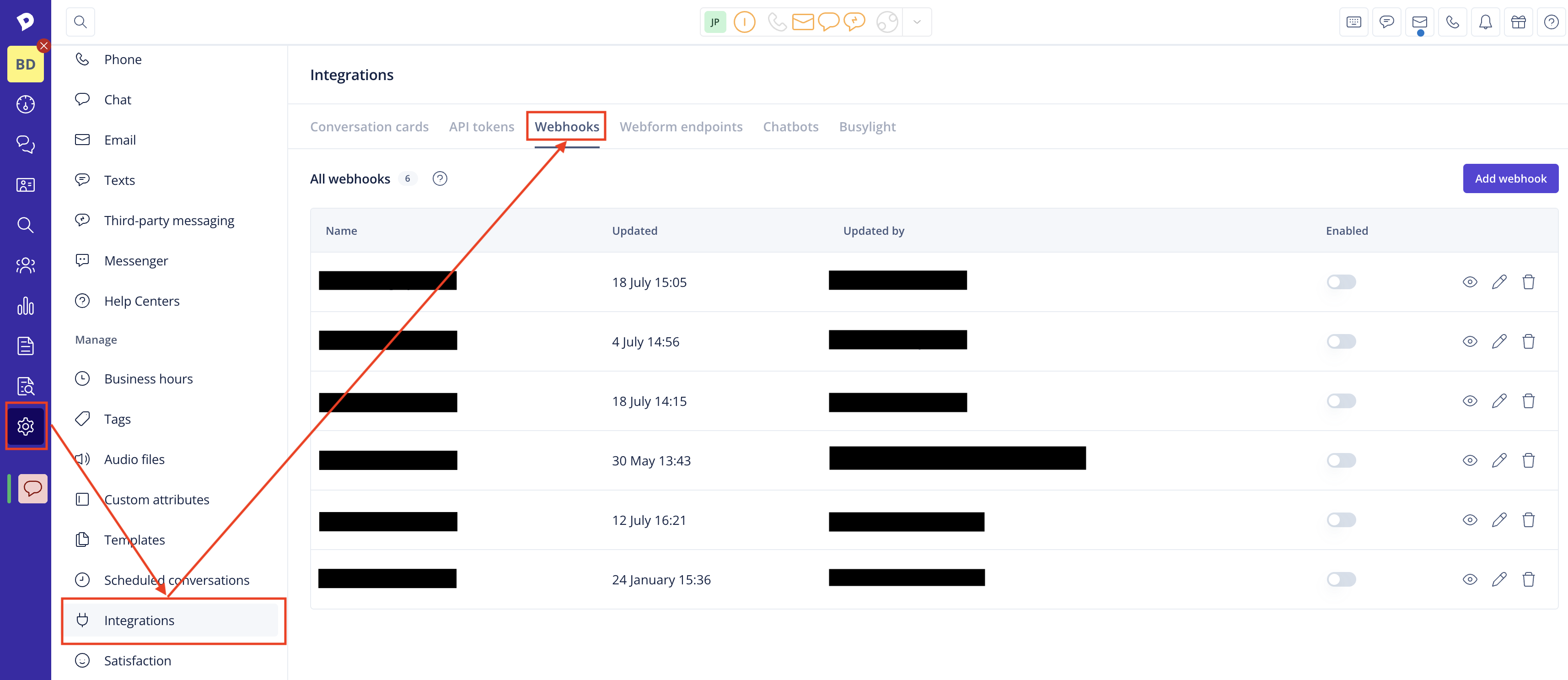
- Click on "Add webhook." and fill in the required details:
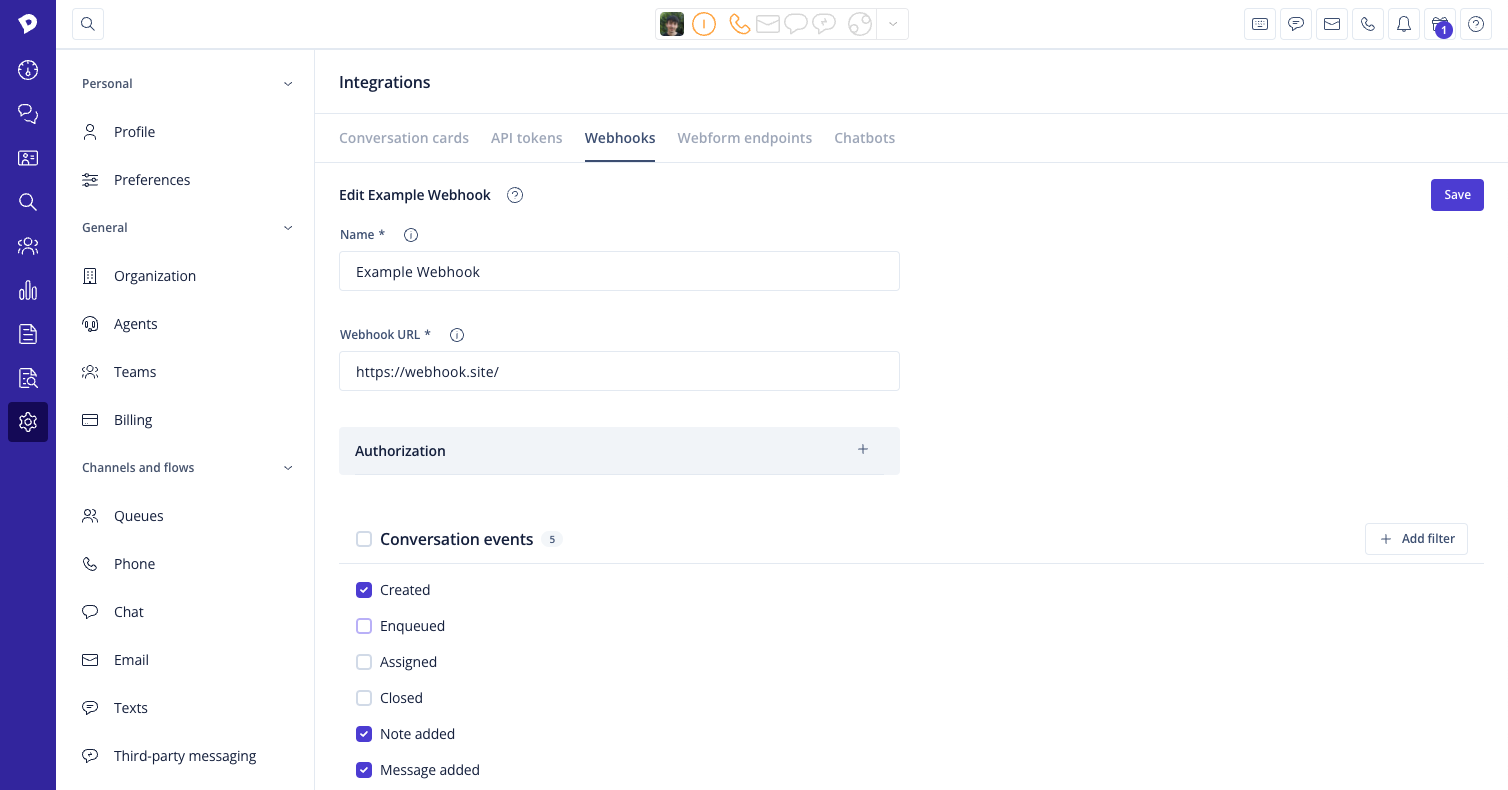
-
Name: Provide a descriptive name here, so you can identify your webhook later, e.g. "CRM updates."
-
Webhook URL: Specify the URL that the events should be sent to. This could be an API from your internal system or another third-party system (e.g. Salesforce, Hubspot, Pipedrive, etc.).
-
Enable: If you want to enable your webhook subscription straight away, you can toggle it here. If you first want to test the subscription elsewhere, you can also save your webhook in a disabled state.
-
Authorization: Specifying additional headers is optional but might be required by the third-party system's API. You can add a basic authorization header or a token authorization header.
-
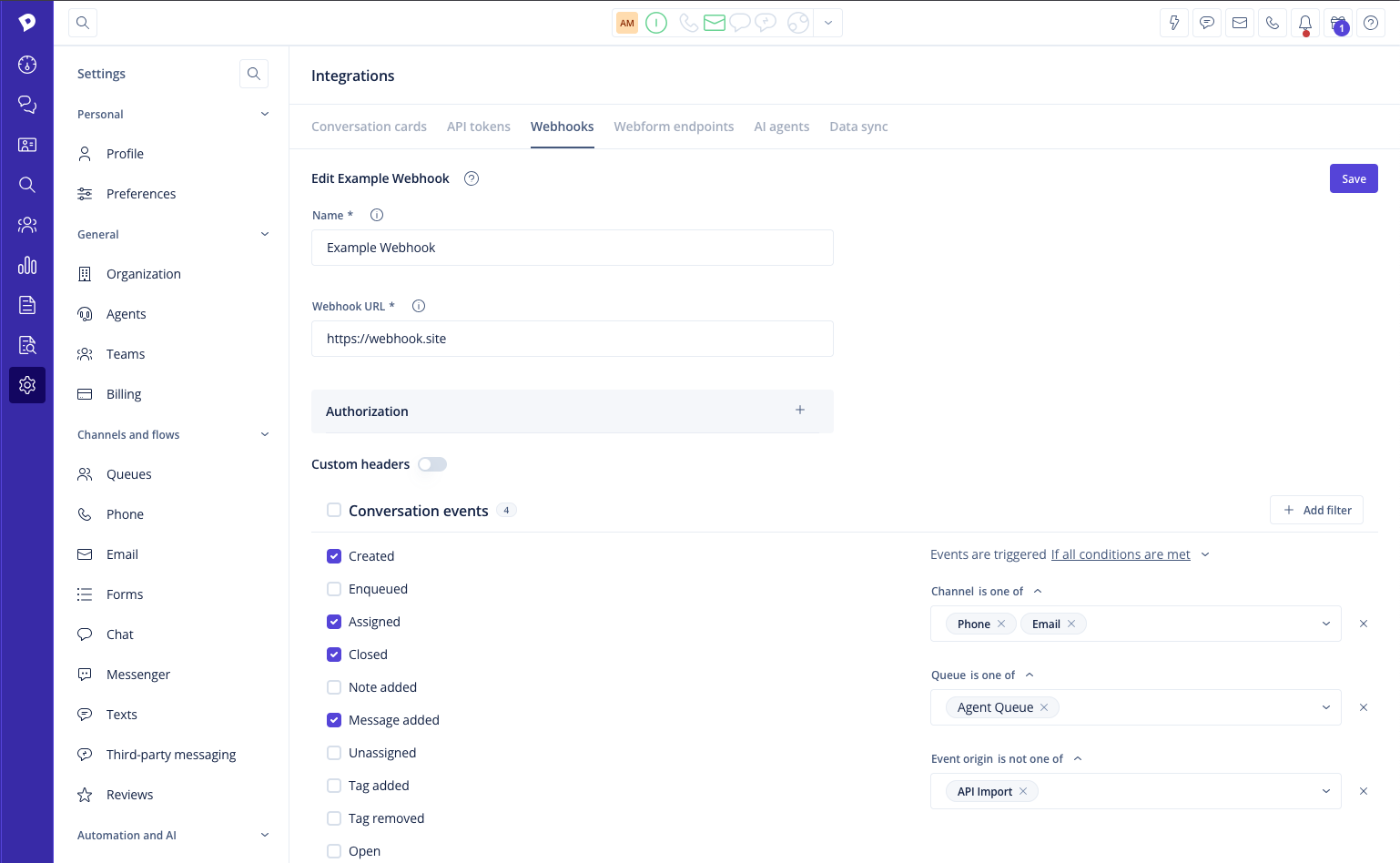
Custom header: In case the basic or token authorization header doesn't cover your needs, you can also add a custom header. It's a regular key-value pair.
-
Events to subscribe to: Select the events you are interested in getting notified about. You can read about the available event types and payloads further below.
-
Filters: Filters allow a more granular selection of events to listen to. Only filtered events will be sent out; they can target the conversation channel, queue, and event origin.
- Event origin can be used to suppress events originating from activities such as importing conversations via the API. Currently, the supported events are
Created,Assigned,Closed, andMessage added.
- Event origin can be used to suppress events originating from activities such as importing conversations via the API. Currently, the supported events are
- Click Save to save the new webhook and reveal the option to copy the verification secret for it.
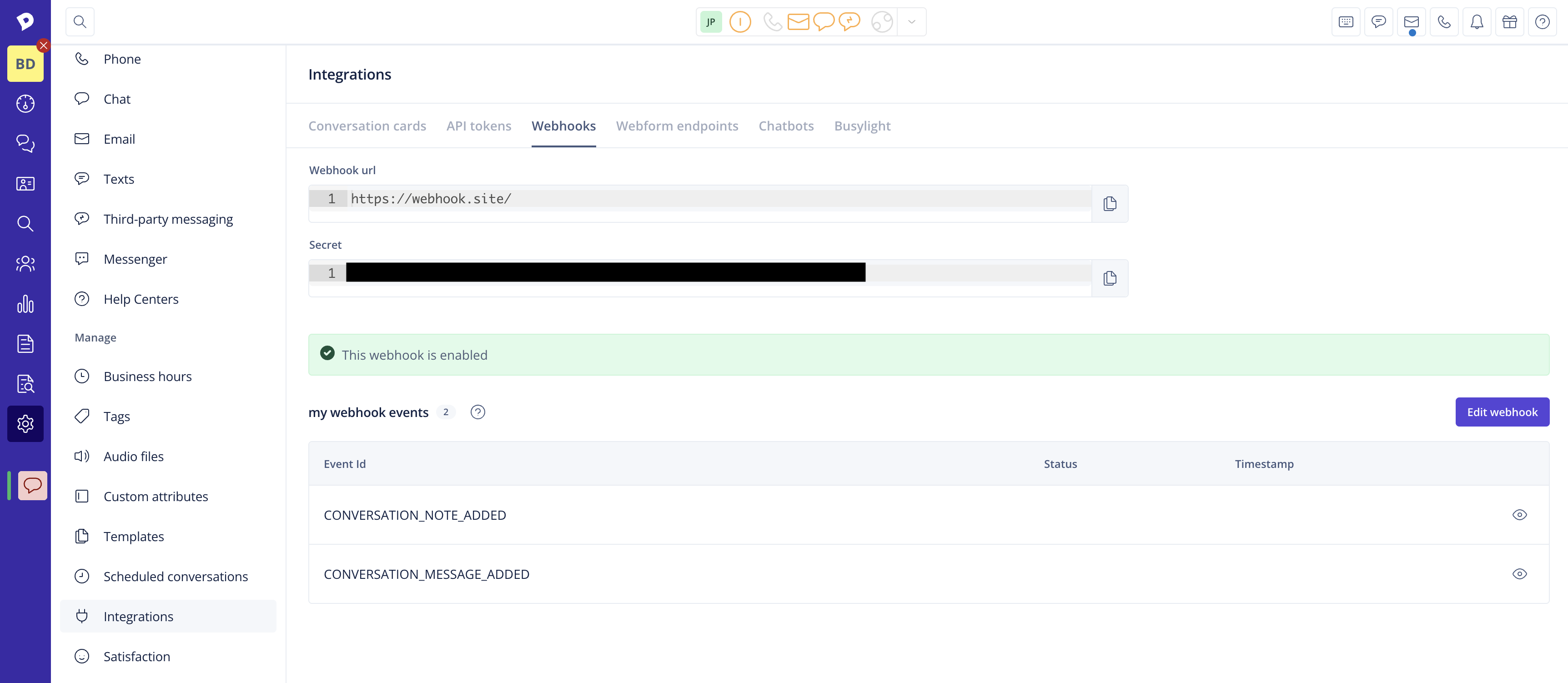
Done!
Changes to the webhook configuration, or removals of webhooks can be done from the webhooks overview page.