Important conversation events happen in Dixa every day, and it can be key that you react to them in real time. With the outbound webhooks feature, you can now subscribe to events in Dixa and have them trigger workflows in any of your tools & systems. Webhooks represent an event-driven approach which ensures that once an event occurs, notifications get sent at the right time to the right system.
Some common scenarios where webhooks show their usefulness:
- Updating dashboards or key metrics about new events, e.g. updating your CRM system on customer contact events
- Sending notifications about an event to a different tool, e.g. sending a Slack notification to get other departments notified
- Triggering another automated workflow once an event has occurred, e.g. sending a more detailed survey once the conversation is closed by an agent
- Handling duplicate events: Webhook endpoints might occasionally receive the same event more than once. We advise you to guard against duplicated event receipts. One way of doing this is by logging the events you have processed, and then not processing already logged events again. The
event_idfield is the UUID identifier of the domain event that originated a given webhook. - Order of events: While we are working with our best effort, we cannot guarantee the delivery of events in the order in which they are generated. Therefore, your endpoint should not expect delivery of these events in the order of occurrence and should handle this accordingly.
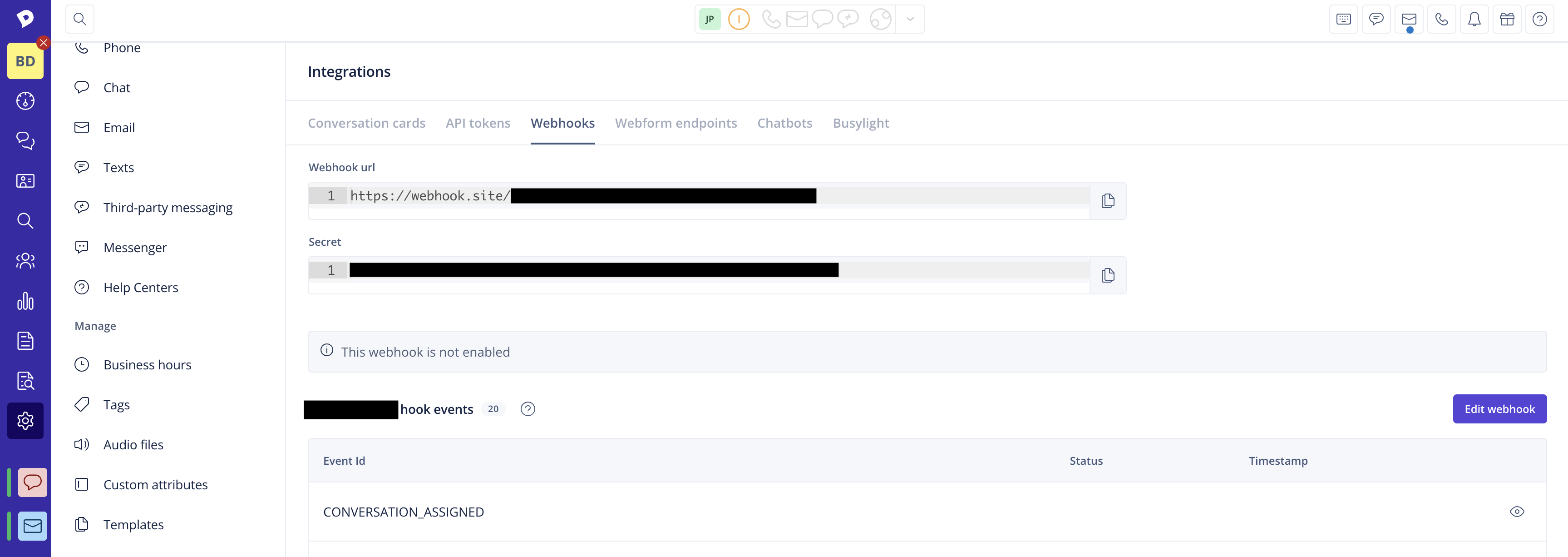
- Security: Keeping your endpoints secure is critical to protecting your customers' information. Therefore, we include a shared secret for verification in each event that is sent to you, so you can ensure that the event is indeed from Dixa and not a third party. You can find the verification secret for your webhook subscriptions in the top of the Details page of the particular webhook.
- Breaking changes: Both the selection of supported events and the payload returned by each event are subject to evolution. Usually, all changes are incremental & backward compatible. If a breaking change is needed, you will be informed in advance about it.
- Supported protocols: Our Webhooks HTTP client supports TLSv1.3, TLSv1.2, TLSv1.1 and TLSv1. Make sure your server has support for at least one of these versions when setting up your webhook notifications.
Webhook delivery can fail for different reasons. We handle delivery failures differently, according to each error response range that we receive from your server:
- 4XX HTTP error - A webhook delivery with this type of error response will not be retried, as it most likely requires an intervention on your part to make the delivery successful.
- 5XX HTTP and network errors (e.g. timeouts) - We will attempt to redeliver the webhook up to 3 times with an interval of 1 minute between retries. After the maximum number of retries is exhausted, we will drop the message.
If webhook deliveries to your server fail for ~15 consecutive times, we will stop retrying failed deliveries until we receive a successful response(e.g. HTTP 200). This will help ensure that broken endpoints do not affect delivery for working endpoints. It's important that you frequently monitor the delivery status of your webhooks to avoid missing events.