

Monitoring your webhooks
Once you have set up and enabled your webhook, you can follow its operational status in Dixa via the operational details view. This will make it easy for you to diagnose and debug webhook failures.
- Click the "View" icon of your enabled webhook.
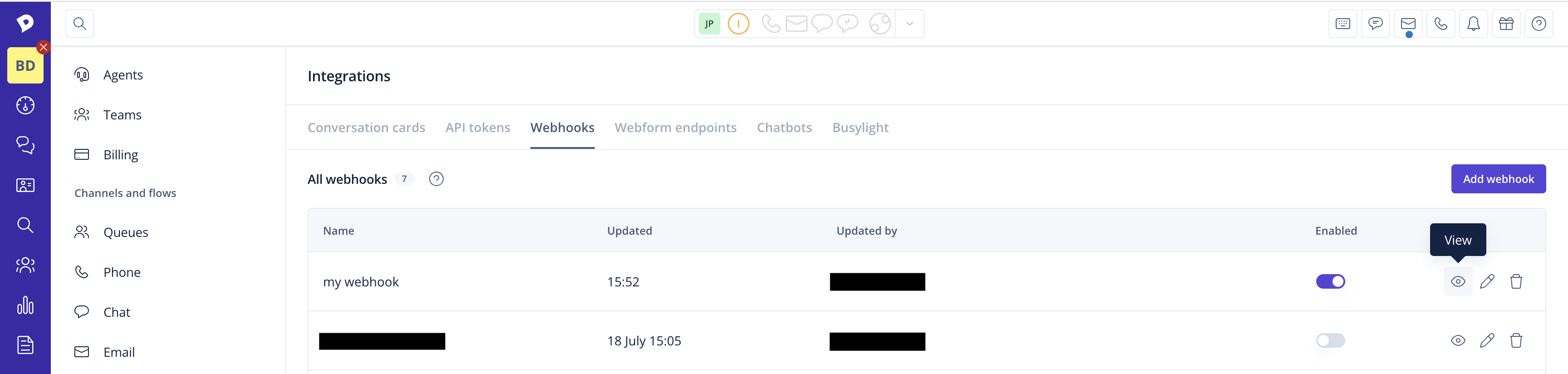
In your webhook's overview, you can see the current status of your webhook. A green field (with code) indicates success, a red field (with error code) indicates a failure. The field is gray if the event has not been emitted yet. The status & timestamp corresponds to the last delivery attempt. This will give you an idea when the webhook stopped working.
- If you want to get a more detailed view of your subscription for each event type, click the "View" icon for the particular event.
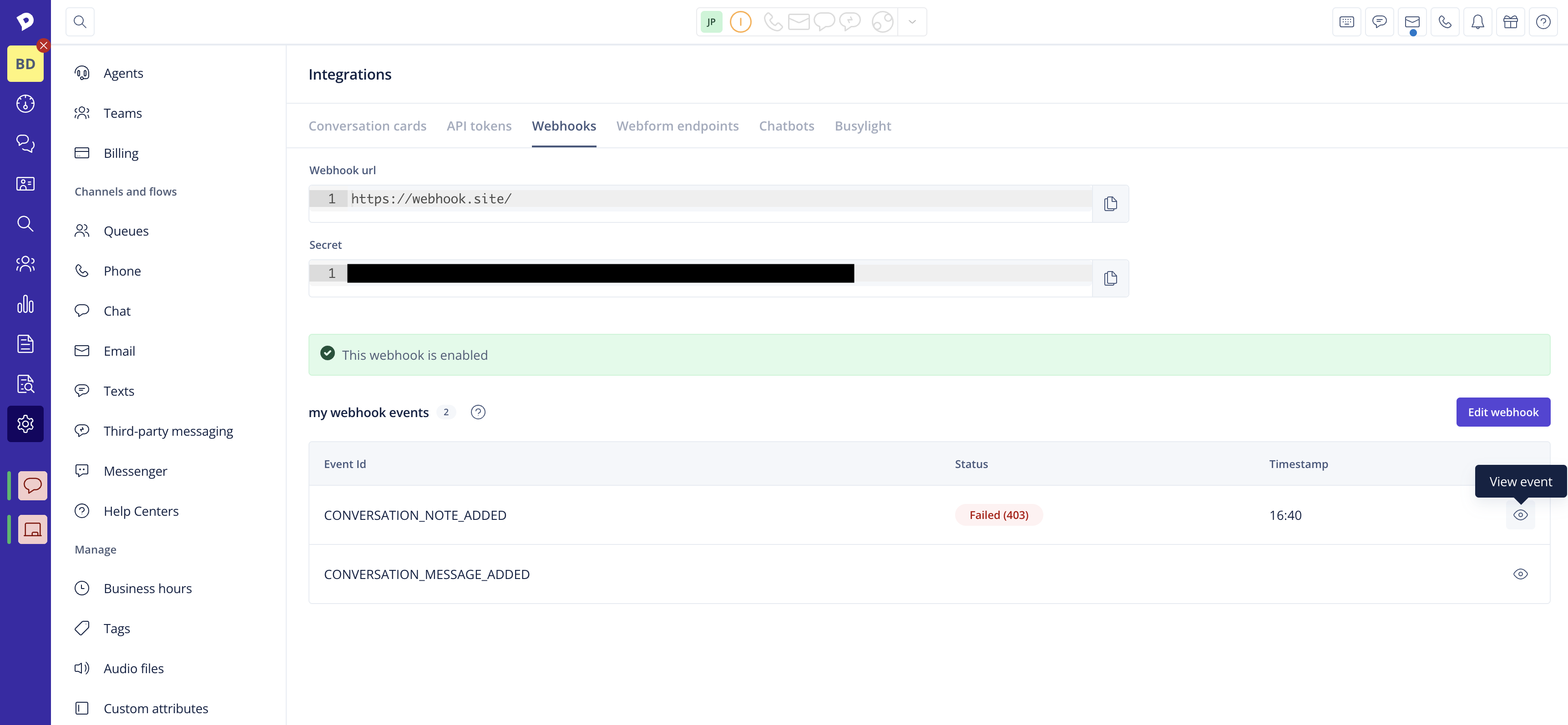
Here, you will find information on the last 50 deliveries with response status & timestamps.
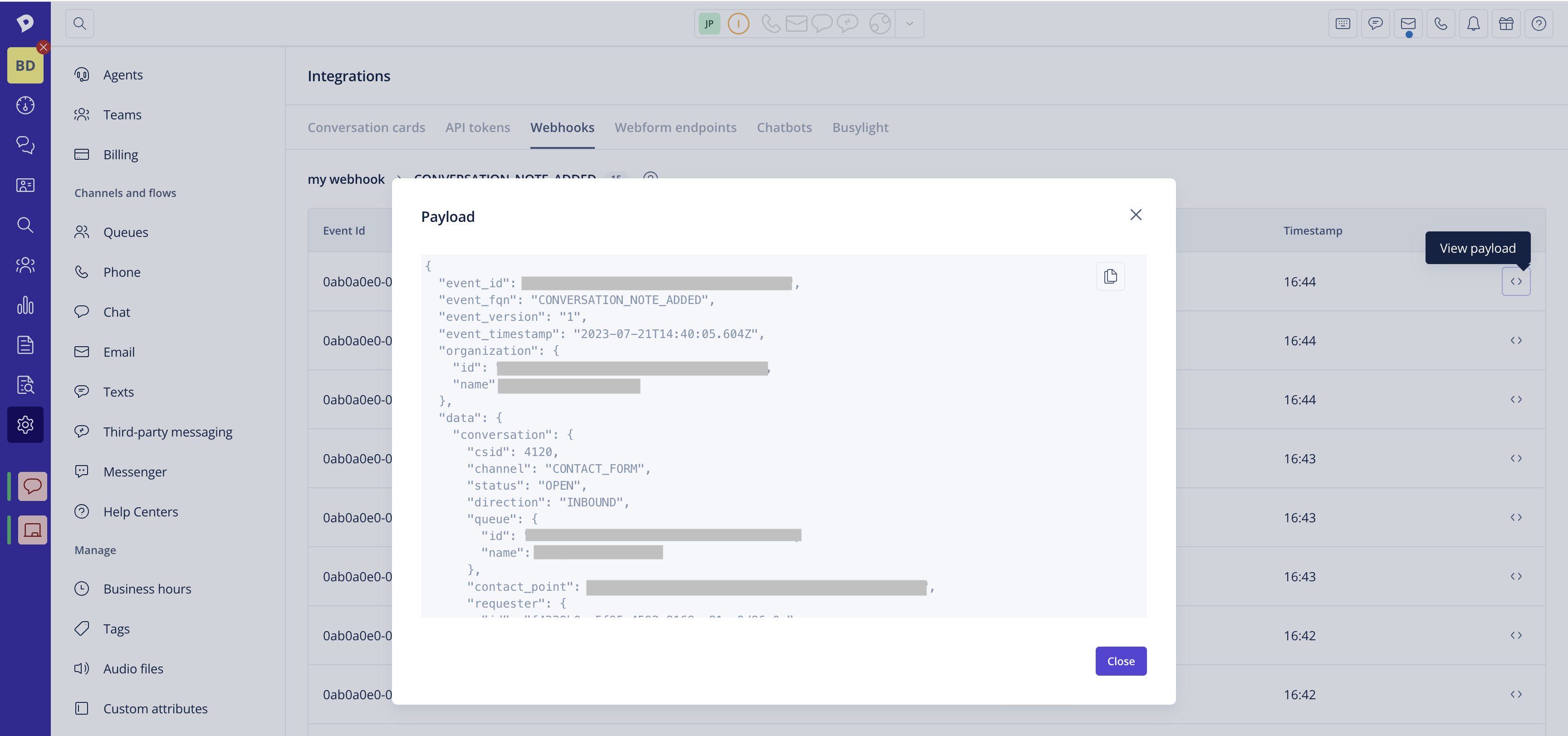
- You can also view each payload to investigate what happened.
Automating the monitoring of your webhook deliveries
You can automate the monitoring of the delivery status of your webhooks using the Dixa API. The Webhook Subscription Last Delivery Statuses endpoint will give you information about the latest delivery statuses for each event of your webhook subscription. You can set up an automation to periodically query this endpoint and alert you if any error statuses are returned by your server, so you can quickly react to any issues with your subscription, e.g.: a cron-job that queries the endpoint every 30 seconds, or a more appropriate interval that suits your needs, within the overall API rate limits.
For a more detailed overview of the delivery status for a particular event you have subscribed to, you can use the Webhook Subscription Event Logs endpoint, which will additionally provide you with the payload of each event coupled with the delivery status. This can be very useful for troubleshooting any issues.