

Security best practices
All requests made by webhooks can be verified to have been sent from the Dixa platform by running a Hash-based message authentication code (HMAC) verification on the signed webhook's payload.
For that purpose, we include the X-DIXA-SIGNATURE header in the webhook which should contain two comma-separated key-value pairs, for example:
"X-DIXA-SIGNATURE" : "t=1689238949803,v1=e217fa759f322839107e2902a16630e6e122418653733ae70f32d1185abcdefg"The value of t represents the timestamp of the webhook and v1 is the payload signature.
To verify this signature, you can concatenate the following values into a string like below:
- The value of
t(as a string) - The character
. - The response payload (JSON body) with the original format (⚠️ without any formatting or whitespace changes - do not parse the payload before verifying it)
Then, using the above concatenated string, apply HMAC verification with the SHA256 function using your subscription secret key (you can copy this value from your webhook's page after creating your subscription).
The resulting signature should match the value of the Dixa signature in the field v1.
The secret key is HEX encoded and needs to be decoded if used in HMAC. The output signature in v1 is HEX encoded as well.
Headers and authentication
By default, Dixa will include the following headers when delivering a webhook. These headers cannot be overwritten:
X-DIXA-SIGNATURE :  [To verify the requests],
X-DIXA-SUBSCRIPTION-ID : “beabb3e2-3a10-4a44-9a88-9359887a139f” [A Unique Subscription ID]
Content-Type : “application/json” [Constant]
Adding a basic authentication header or a token header is also supported in the UI:
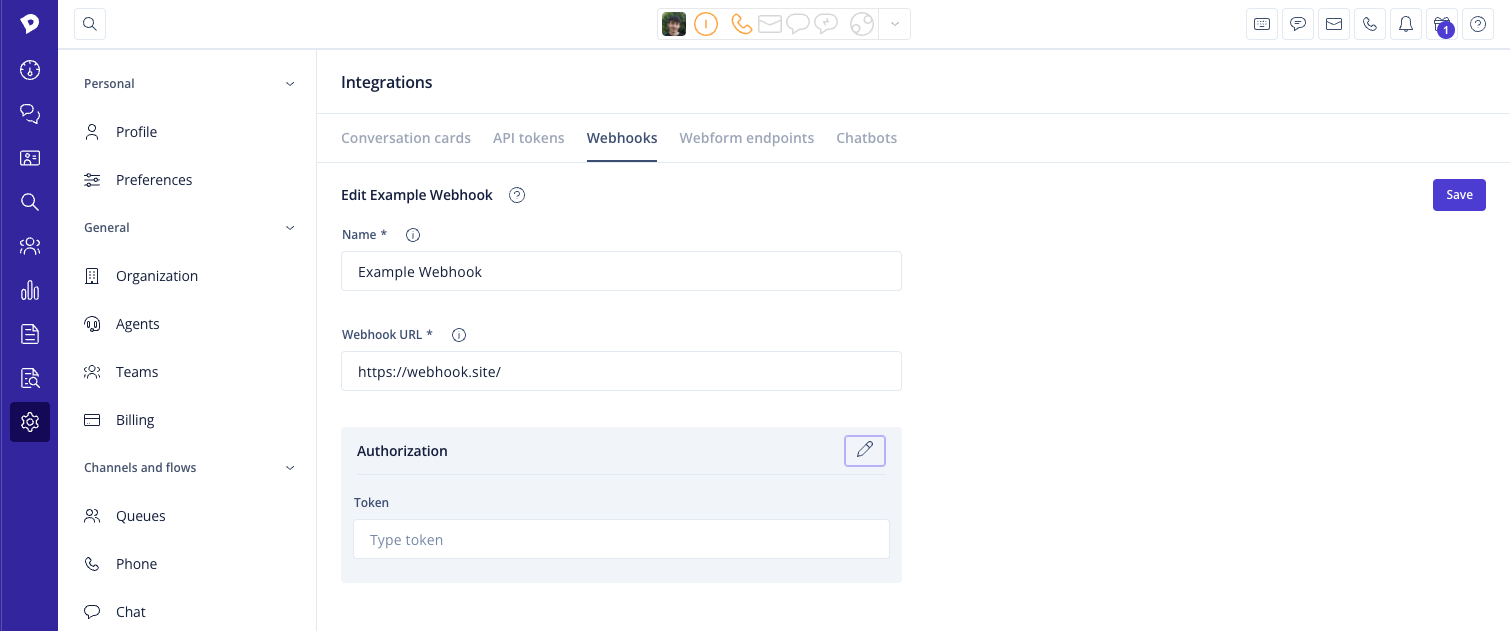
More details on basic authentication can be read here.
You can also add a custom header if the listening system requires different headers than token and basic. First you enable the customer header toggle, and add the key-value pair. An example is Jira which requires X-Automation-Webhook-Token as the key and your unique API token as the value.