

Authorization
You don't get to choose the authorization method, it is defined by the endpoint. When you look at the endpoint documentation, you can normally find a section called authorization or authentication. You can look for a page called authentication or authorization. Custom cards support the default 'Authorization' header or custom headers.
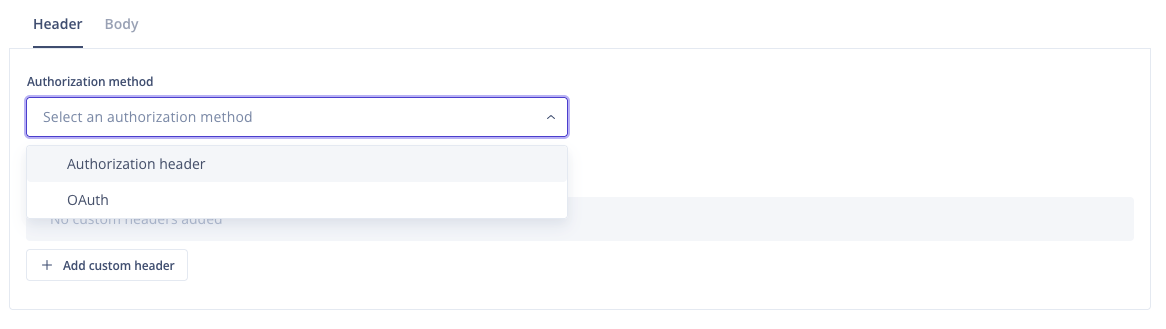 Showing the choice between OAuth or Authorization header.
Authorization header
If you select the Authorization header, you must choose either Basic, Baerer, or Custom in the Authorization header dropdown**.**
-
With the Basic authorization, you will be asked to provide the user and password required for the 3rd party API (the information will be encoded in base64 and passed to the 3rd party).

-
If you select the Bearer authorization type, then you will be required to specify the token from the third-party API (the information will be passed with the Bearer prefix)

-
If you select the Custom Authorization type, you can specify the prefix to be used inside the Authorization header.

Custom header
If the API you are connecting to requires additional or alternative headers (like x-api-key for an Amazon-hosted system), then you can use the Custom Header option to add additional key-value headers.
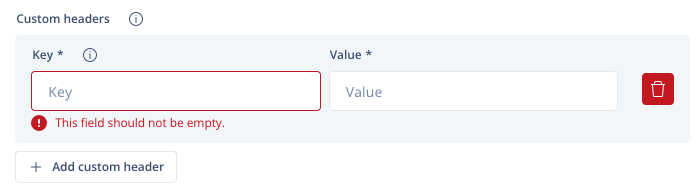
Depending on your system's authorisation needs, custom headers can be used in addition or as a replacement for Authorization headers.